India07
  • Home
  • Auto
  • Tech
  • Trending News
  • Gaming
  • Sports
  • AI Prompts
Reading: Aadhaar misuse alert: Here’s how to check where your Aadhaar and biometrics have been used technology
Share
Font ResizerAa
India07India07
  • Home
  • Auto
  • Tech
  • Trending News
  • Gaming
  • Sports
  • AI Prompts
Search
  • Home
  • Auto
  • Tech
  • Trending News
  • Gaming
  • Sports
  • AI Prompts
Follow US
Made by ThemeRuby using the Foxiz theme. Powered by WordPress
Trending News

Aadhaar misuse alert: Here’s how to check where your Aadhaar and biometrics have been used technology

By Ravi Rawani
Last updated: June 4, 2026
4 Min Read
Share
New Delhi:

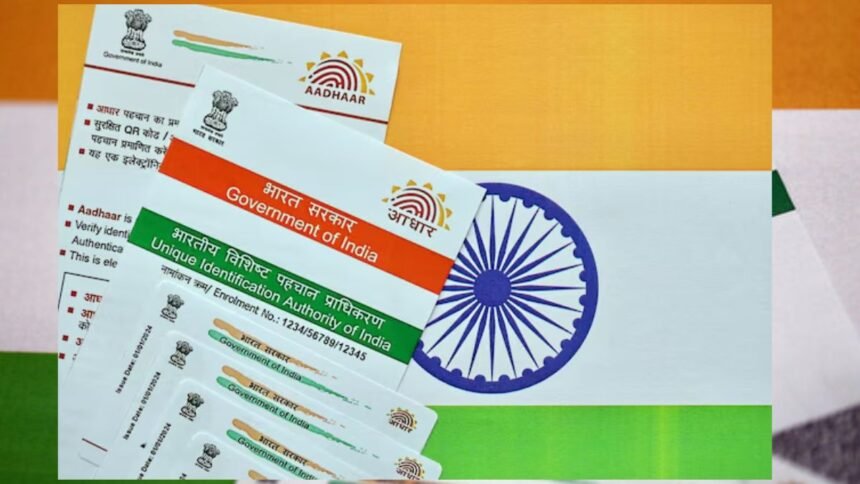
Aadhaar is an essential part of daily life in India. But at the same time, the risk of identity theft and unauthorized use of your biometric data is real. To give people peace of mind, UIDAI has set up an online tool so that you can see where and when your Aadhaar was used.

This tool lets you track all Aadhaar authentication activity. If something seems strange or unfamiliar, you’ll pick up on it faster.

How to check your Aadhaar authentication history

It sounds simple, as everything can be done online from the official UIDAI portal.

Here are the steps to follow to get certified. All you have to do is:

  1. Go to My Aadhaar portal from your mobile or desktop/laptop.
  2. Log in with your Aadhaar number
  3. UIDAI will send a one-time password (OTP) (security code) to your registered mobile.
  4. Once you get it, enter ‘Continue’. You will be inside.
  5. Once you are inside, you will see ‘Authentication History’ written there.
  6. Now, choose your date range (you are allowed to go back up to 6 months)
  7. Then choose how you want to filter (biometric, OTP or both).
  8. Once done, tap Submit

You will see a complete report showing when and how your Aadhaar was used.

You can do this easily from anywhere without going to the Aadhaar centre.

What does the report tell you?

Authentication history details every Aadhaar verification request associated with your number. You will see:

  1. How was Aadhaar authenticated – was it your fingerprint, iris scan or OTP?
  2. The exact date and time each request arrives.
  3. Which organisation, bank, cellphone company or government office accessed your details.

If you see a request you don’t remember, you’ll know right away.

Lock your biometrics for greater security

UIDAI does not stop here. You can lock your biometric data – your fingerprints and iris information – so that no one can use them without your OK. It is simple to lock and unlock biometrics using My Aadhaar portal or mAadhaar mobile app.

Once your biometrics are locked, even if someone tries, he cannot use fingerprint or iris authentication for your Aadhaar. Do you need to use it yourself? No problem – you can unlock it for a while, then lock it again immediately afterward.

Did you see anything suspicious?

If you see any Base activity you don’t recognize, do the following immediately:

  • Call UIDAI helpline number 1947. Don’t wait!
  • Submit written complaint through UIDAI portal right from your mobile or desktop.
  • Choose to lock your biometrics to immediately prevent your authenticated number from being misused in any further way.

Keep track of your Aadhaar authentication history. Checking this regularly helps you spot fraud early so you can keep control of your identity and personal data.

Contents
How to check your Aadhaar authentication historyWhat does the report tell you?Lock your biometrics for greater security

Sign Up For Daily Newsletter

Be keep up! Get the latest breaking news delivered straight to your inbox.
[mc4wp_form]
By signing up, you agree to our Terms of Use and acknowledge the data practices in our Privacy Policy. You may unsubscribe at any time.
Share This Article
Facebook Email Copy Link Print
Leave a Comment Leave a Comment

Leave a Reply Cancel reply

Your email address will not be published. Required fields are marked *

HOT NEWS

Mahindra designer posts story, then deletes it – is this the Vision S 7 seater SUV?

Mahindra Scorpio Sport teaser released Mahindra is working on a new generation of ICE and…

June 4, 2026

Drishyam 3 Box Office | Mohanlal’s ‘Drishyam 3’ crosses Rs 219 crore worldwide, sees strong collections in second weekend

starring mohanlal scene 3 It continued its strong performance at the box office and recorded…

June 4, 2026

‘Crazy bubble and bigger than 1999’: Zoho founder Sridhar Vembu issues a scary warning about the future of AI

Zoho Corporation founder and chief scientist Sridhar Vembu has warned that the sharp rise in…

June 4, 2026

YOU MAY ALSO LIKE

ALM Match Preview: Griff and co excited to embrace “biggest challenge of the season”

ALM Head Coach Adam Griffiths is excited at the prospect of his Glory side locking horns with in-form league leaders…

Trending News
April 27, 2026

Who is Mishka Silva? All about Tobey Maguire’s 20-year-old girlfriend and the age gap sparking debate

Maguire's daughter Ruby, whom he shares with his ex-wife Jennifer Meyer, is 19 years old, making her almost exactly the…

Trending News
April 27, 2026

Virgil van Dijk denies opponents have found Liverpool’s weak spot

Liverpool captain Virgil van Dijk insists there is not yet any concern about becoming detached from the top of the…

Trending News
April 27, 2026

Scotland v England: The fight for dual-qualified Six Nations stars

Two weeks ago, 12 miles from Twickenham, Scotland parked coaches on very English lawns.In the stately surroundings of RGS Surrey…

Trending News
April 27, 2026
India07

We use our own and third-party cookies to improve our services, personalise your advertising and remember your preferences.

  • Home
  • Auto
  • Tech
  • Trending News
  • Gaming
  • Sports
  • AI Prompts
  • Home
  • About us
  • Contact us
  • Disclaimer
  • Privacy Policy
  • Terms & Conditions

Follow US: 

India07 Contact Details:

Ram Nagar, Jhumri Telaiya, Koderma, Jharkhand
Mail: admin@india07.com

Welcome Back!

Sign in to your account

Username or Email Address
Password

Lost your password?